Ubuntu 26.04 LTS Now Fully Compatible with VMware Workstation Pro: Everything You Need to Know
VMware Workstation Pro 26H1 has officially added support for Ubuntu 26.04 LTS, allowing users to install Broadcom's virtualization software directly on the new distro and run it inside a virtual machine. This update marks a significant milestone for developers and IT professionals who rely on Ubuntu for development or testing environments. Below, we answer the most pressing questions about this compatibility update, from what it means to how to get started.
1. What is VMware Workstation Pro and why is it popular?
VMware Workstation Pro is a powerful virtualization software from Broadcom (formerly VMware, Inc.) that enables users to run multiple operating systems as virtual machines on a single physical computer. It is widely used by software developers, system administrators, and IT professionals for tasks like testing applications across different OS environments, creating sandboxed development setups, and running legacy software. Its popularity stems from its robust performance, broad guest OS support, advanced networking features, and seamless integration with host systems. With version 26H1, the software now includes native support for Ubuntu 26.04 LTS, expanding its already extensive compatibility list. This means users can confidently run VMware Workstation Pro on the latest long-term support release of Ubuntu, either as a host or a guest OS, ensuring stability and performance for demanding workloads.

2. What makes Ubuntu 26.04 LTS special?
Ubuntu 26.04 LTS (Long-Term Support) is the latest stable release from Canonical, offering five years of security updates and maintenance. This version introduces improved performance optimizations, a refreshed desktop environment, updated kernel and drivers, and enhanced support for modern hardware. For developers, it provides newer toolchains, container runtime improvements, and better integration with cloud and AI/ML workflows. The LTS designation is critical for enterprise and professional users who require a reliable, long-lived platform without frequent major upgrades. By adding support for Ubuntu 26.04 LTS, VMware Workstation Pro ensures that users can leverage these advancements within their virtualized environments, benefiting from both the OS stability and the flexibility of virtualization.
3. How does the new support for Ubuntu 26.04 in VMware Workstation Pro work?
The support is two-fold: First, you can install VMware Workstation Pro 26H1 directly on Ubuntu 26.04 LTS as the host operating system. This allows you to run virtual machines from within the Ubuntu environment. Second, you can also run Ubuntu 26.04 LTS as a guest OS inside any compatible host (Windows, Linux, or macOS) using VMware Workstation Pro. The software includes optimized drivers and tools for Ubuntu 26.04, ensuring smooth graphics, clipboard sharing, drag-and-drop, and improved I/O performance. Broadcom has integrated the necessary kernel modules and libraries to support the new kernel version used in Ubuntu 26.04, eliminating common installation headaches. This dual support makes it versatile for both native Ubuntu users and those who want to test or develop on Ubuntu without dedicating a physical machine.
4. What are the system requirements for running Ubuntu 26.04 in VMware Workstation Pro?
To run Ubuntu 26.04 LTS inside VMware Workstation Pro, you need a host system that meets or exceeds the following requirements:
- Processor: A 64-bit CPU with Intel VT-x or AMD-V virtualization technology enabled in the BIOS.
- RAM: At least 4 GB of RAM (8 GB or more recommended for smooth performance).
- Storage: A minimum of 10 GB of free disk space for the virtual machine, plus additional space for VMware Workstation itself (about 1.5 GB).
- Host OS: Windows 10/11, supported Linux distributions (including Ubuntu 24.04 or 26.04), or macOS (if using VMware Fusion).
- Software: VMware Workstation Pro 26H1 or later.
For optimal performance, especially if you plan to run resource-intensive applications inside the VM, consider allocating at least 2 CPU cores and 4 GB of RAM to the virtual machine. Also ensure you have the latest VMware Tools installed for seamless integration.
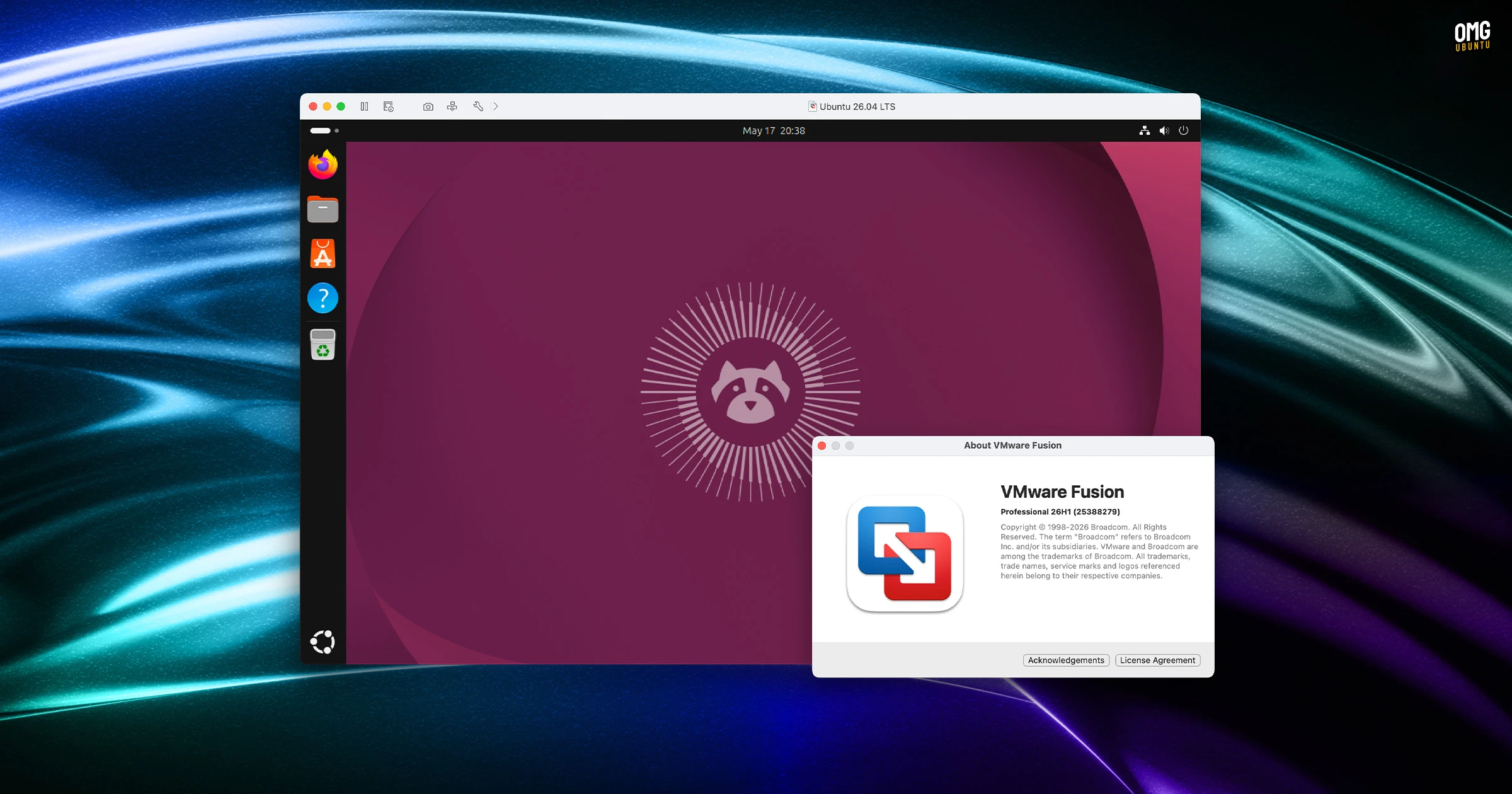
5. Step-by-step: How to install Ubuntu 26.04 LTS in VMware Workstation Pro?
- Download VMware Workstation Pro 26H1 from Broadcom's website and install it on your host system (supports Ubuntu 26.04 as host as well).
- Obtain the Ubuntu 26.04 LTS ISO from the official Ubuntu website.
- Open VMware Workstation Pro and click Create a New Virtual Machine.
- Choose Installer disc image file (ISO) and browse to the downloaded Ubuntu ISO.
- Select the guest OS type as Linux and version as Ubuntu 64-bit (or specifically Ubuntu 26.04 if listed).
- Allocate resources: Set at least 2 CPU cores, 4 GB RAM, and 20 GB virtual disk.
- Complete the wizard and start the VM. Ubuntu will boot from the ISO; follow on-screen instructions to install.
- After installation, install VMware Tools from the VM menu (VM > Install VMware Tools) for enhanced performance and features.
6. What benefits does this compatibility bring to developers and IT professionals?
Developers gain the ability to run Ubuntu 26.04 LTS in an isolated VM, which is ideal for testing software compatibility, debugging, or experimenting with new Ubuntu features without affecting the host system. IT professionals can use VMware Workstation Pro to deploy standardized Ubuntu environments for training, demos, or sandboxed testing of infrastructure code. The support also simplifies migration: teams can start building container images or CI/CD pipelines using Ubuntu 26.04 within VMs and then transition to production with confidence. Additionally, Broadcom's virtualization offers snapshot and clone capabilities, making it easy to roll back changes or duplicate environments. This update ensures that those relying on Ubuntu 26.04 can leverage the full power of VMware Workstation Pro without workarounds or third-party patches.
7. Are there any known limitations or compatibility issues?
While the support is official, a few edge cases have been reported. For instance, users on older kernels (pre-6.8) may encounter module compilation errors during VMware Tools installation; upgrading the host kernel usually resolves this. Also, if you are using a hybrid graphics setup (e.g., NVIDIA Optimus), you may need to manually configure graphics acceleration for optimal performance inside the VM. Broadcom recommends using the latest stable graphics drivers. Another limitation: some advanced features like virtual GPU (vGPU) passthrough may not be fully supported on Ubuntu 26.04 guests yet. However, for standard desktop and development use, these issues are rare. Visit the VMware documentation for up-to-date troubleshooting tips. Overall, the compatibility is robust and suitable for production-level virtualization tasks.